
Assign onboarding checklists across IT, HR, facilities, payroll and the hiring manager the moment an offer is accepted, and watch every task close before day one.
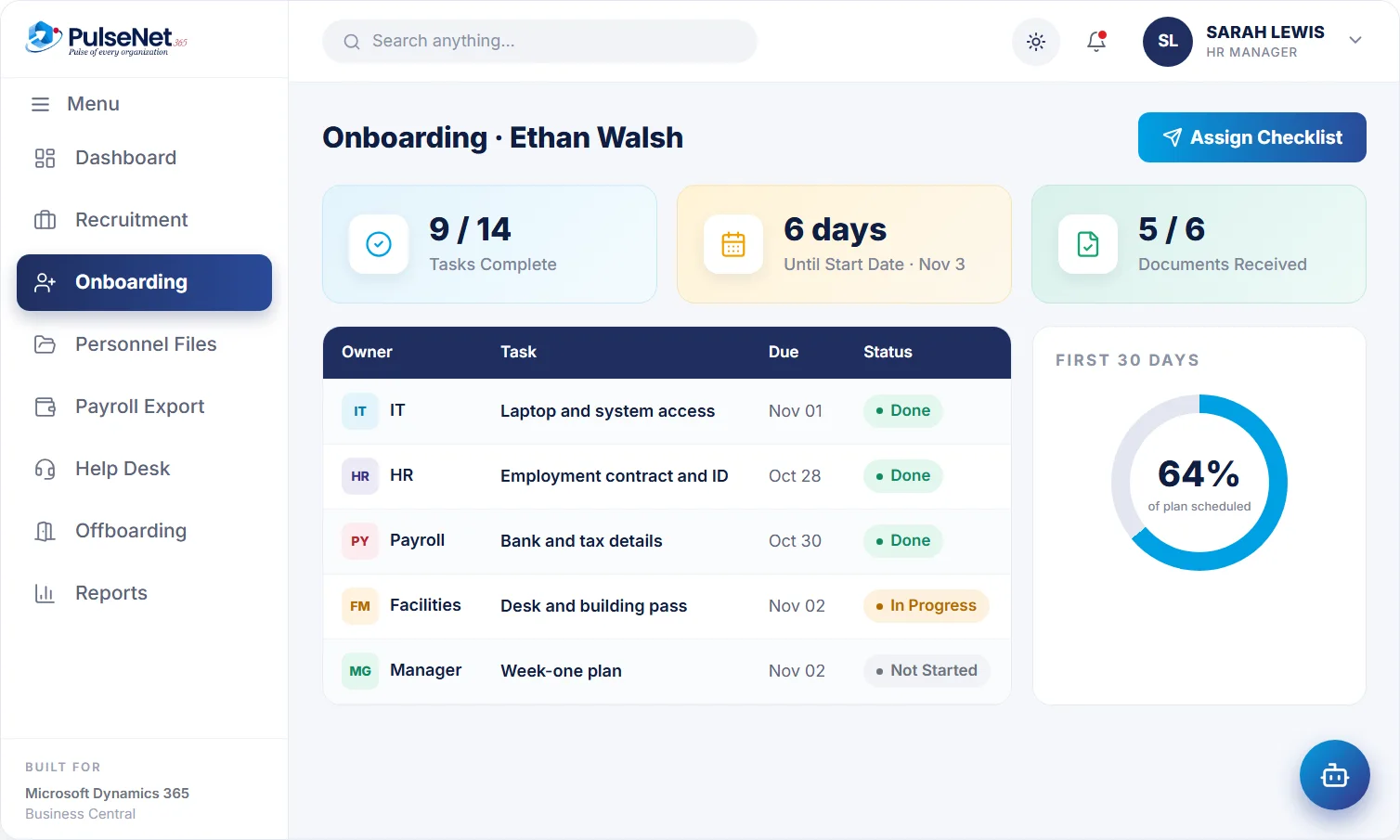
Ethan Walsh
starts Monday
on the personnel file
Onboarding usually fails in small, forgettable ways. The laptop was ordered but not set up. The system access request went to someone on leave. Nobody booked the safety induction, and the new starter spent the first morning in reception. None of these tasks is difficult. They fail because each one belongs to a different team, and nobody is looking at the whole list until the day itself.
Managers feel it too. A new team member who spends week one waiting for access is paid to sit idle, and first impressions are hard to reset. A chaotic start makes people wonder whether they chose the right employer at all.
The new hire record is created from the recruitment record.
IT, HR, facilities and payroll each get their tasks.
Everyone sees what is done and what is due.
A new starter who is ready to work.
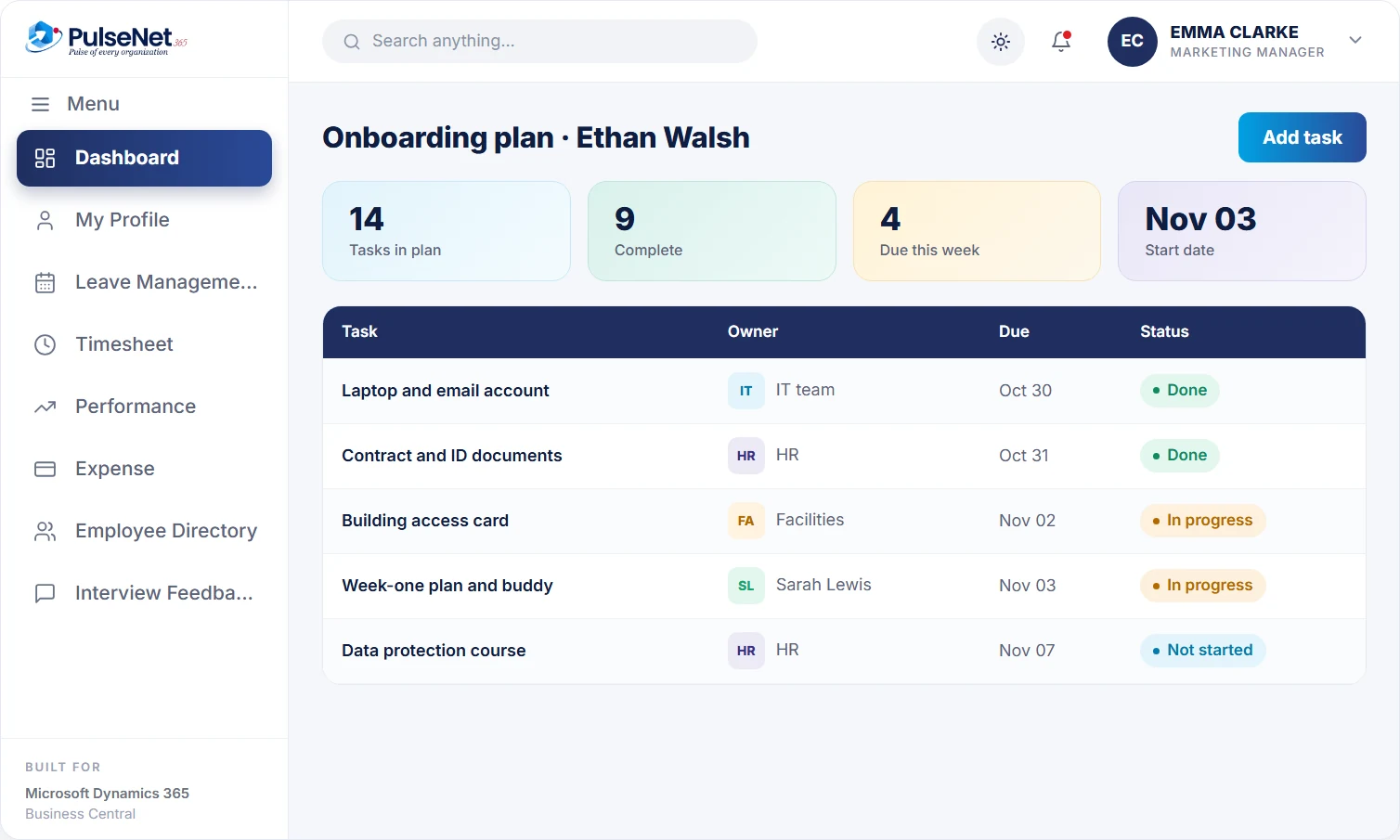
Every starter gets a plan, every task has an owner and a due date, and onboarding is complete when every task is closed.
HR keeps a standard checklist for each type of role, such as field engineer or people manager, and the reporting manager uses it as it stands or adjusts it for the individual. Typical tasks cover introductions, IT setup, HR and compliance training, role training with a mentor, and early goals. Improving a template improves every future plan.
Each task is assigned to a person or team, whether that is IT, HR, facilities or the team lead, with a due date set against the start date. That single rule removes most onboarding failures, because nothing is left as everyone's job and nobody's job. The manager can see who owns each open task at a glance, without ringing round.
Task owners get reminders, so the manager is not the one sending chasing emails. The plan shows what is done, what is due and what is late, which turns the Thursday before a start date into a quick check rather than a scramble to find out who forgot what, while there is still time to fix it.
Onboarding is marked complete only when every task is closed, which gives HR an honest status for each new starter instead of a guess. Goals agreed during onboarding stay on the employee record, so the first probation review starts from what was actually agreed in the first weeks rather than from a manager's recollection of them.
Arrive to working access, equipment and a plan for the first weeks, with introductions already booked. Their details carry over from the signed offer, so the first day is spent meeting people and learning the role rather than filling in forms HR already has.
Start the plan from the employee record, adjust it for the role, and see in one view which tasks are done and which are waiting on another team. Goal-setting is part of the checklist, so expectations are agreed early instead of at the first review.
Maintains the checklist templates, owns the compliance tasks and sees every open onboarding plan across the organisation. When a starter is not ready, HR can see exactly which task is holding them up and who owns it, instead of phoning round departments.
Receives setup tasks with a due date tied to the start date, not a message on the Friday before. Email, system access and equipment appear as tracked tasks, so IT can plan its week and close each item when it is actually done.
Out of the box, Business Central records an employee: personal details, job title, employment date, qualifications and the company items issued to them. It has no checklist, no task owners and no reminders for a new starter. PulseNet365 adds the onboarding plan and runs each one as a project on Business Central, with tasks, owners and due dates, starting from the employee record created at hire. Power Automate can extend it, for example to notify a facilities mailbox.
Start onboarding the day the offer is signed, not the week before the start date. Equipment, access requests and training bookings all have lead times, and a short notice period can swallow most of them. An early plan also helps the new starter feel expected.
Give every starter a peer they can ask the small questions: where things are, how the kitchen rota works, which meetings matter. Put the buddy on the checklist as a task with an owner, or it quietly will not happen when the team is busy.
Agree two or three concrete goals for the first month, in writing. They give the starter something to aim for, give the manager an honest basis for probation conversations, and show early if the role is not what either side expected.
The plan starts from the employee record. If you use Recruitment, that record is created when the candidate is converted after the offer is signed. If not, HR creates the employee in Business Central and the reporting manager opens the onboarding plan from there.
Yes. HR keeps checklist templates for different roles, and the reporting manager can use one as it stands or adjust it for the individual starter. A warehouse operative and a finance analyst need different safety, system and training tasks, and one generic list tends to be ignored by both.
The task owner, whether that is someone in IT, HR, facilities or the team lead. The manager sees which tasks are overdue and who owns them in one view, so a gap shows up before the start date. Our onboarding article covers what a good first month includes.
Yes. Any team with work to do for a new starter can own tasks on the checklist, for example facilities for a desk and access pass, or finance for a company card. The plan is only complete when every one of those tasks is closed.
Onboarding is the plan for getting one person ready: access, equipment, introductions, compliance and goals. Training and eLearning holds courses, exams and certificates. A mandatory course can be a task on the onboarding checklist, and completion is recorded in the employee’s training history.
Every module shares the same employee record on Business Central, so adding another one adds no integration work.
Requisition to signed offer.
One 360° record per employee.
Courses, certifications, growth plans.
Bring your Business Central setup and the process that costs you the most time. We will show you Onboarding on the platform you already run.
Tell us where to send the invite. We’ll show it with your processes in mind.