
The questions HR teams actually ask before they look at a demo. If yours isn’t here, send it to us and we will answer directly.
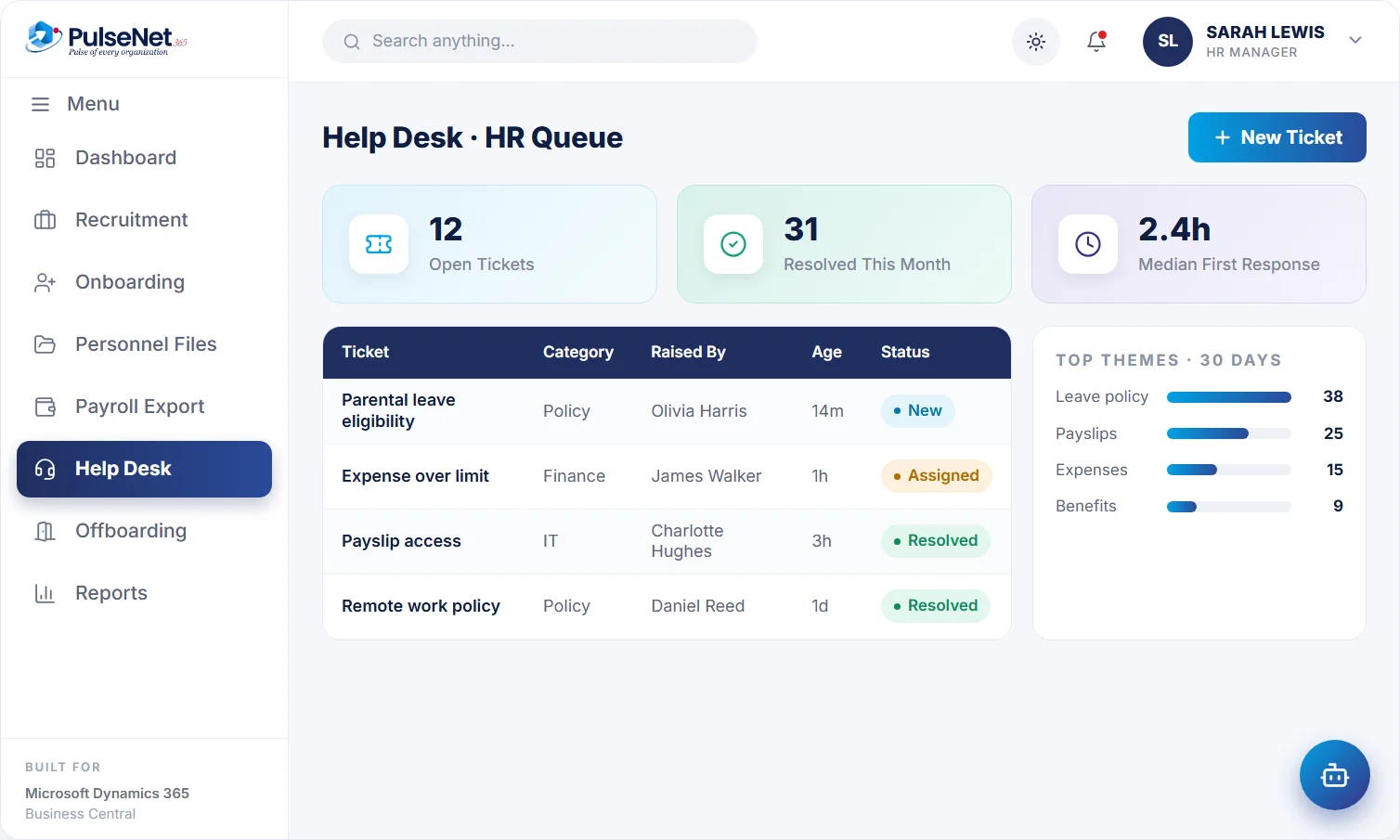
PulseNet365 is HR management built for Microsoft Dynamics 365 Business Central. It covers recruitment, onboarding, the digital personnel file, leave, time, performance, training, expenses, payroll integration, self-service, help desk and offboarding, on one connected employee record. See all modules.
PulseNet365 adds the HR layer and Business Central stays the single source of truth. Candidates become employees, approved expenses reach finance, and approved leave and timesheets are ready for payroll, without re-entering data. How the platform fits together.
No. PulseNet365 integrates with payroll. It prepares payroll-ready data (approved hours, leave and expenses) for your payroll provider, but it does not calculate pay itself. About Compensation & Payroll.
Twelve modules: Recruitment, Onboarding, Digital Personnel File, Leave & Absence, Time & Attendance, Performance & Talent, Training & eLearning, Travel & Expense, Compensation & Payroll, Self-Service, Help Desk and Offboarding. Turn on what you need and add the rest later.
Yes. Employees see their leave balance and pending actions, apply for leave, submit timesheets, claim expenses and raise help-desk tickets without emailing HR. The AI assistant answers HR questions 24/7.
Approvals are workflow-driven. Managers see the request with the relevant context (leave balance, team overlap, timesheet or expense detail) and approve or reject in one place, with automated notifications.
PulseNet365 is hosted on Microsoft Azure, with private cloud hosting exclusive to your organisation and role-based access. Alphavima is ISO 27001 certified. Ask us for the detail your IT team needs. About Alphavima.
Talk to our team. We walk through your current HR processes, recommend which modules to start with and lay out a clear rollout plan. Alphavima helps with deployment, configuration and training. Book a demo or see how we quote.
Tell us where you are. PulseNet365 is built for Microsoft Dynamics 365 Business Central, so it runs where your Business Central does. The contact form asks whether you are live, mid-implementation or still considering it, because the right order for the two projects depends on that answer.
Business Central includes basic HR: employee records, qualifications and absence registration. PulseNet365 adds the workflows around that record: requisitions and offers, onboarding checklists, leave policies with accrual and carry-over, timesheet approval, review cycles, training, expense claims, self-service, a help desk and offboarding. Compare the options.
Yes, if your organisation has a Copilot-enabled Business Central licence. Copilot in Business Central includes a chat that turns a plain-language question into filters, and ‘Analyze data in lists’ for summaries and pivots. Because PulseNet365 data sits in Business Central, those Microsoft features apply to it, for example summarising approved timesheets by department.
Access is role-based, and you decide the roles during configuration. A common pattern: employees see their own record, managers see what they need to approve for their team, HR sees the full personnel file and finance sees payroll-ready figures. Agree the roles before go-live, because changing them later means retraining people.
The approval creates the matching timesheet entry and updates the employee’s balance straight away, so nobody reconciles leave against hours at month end. Before deciding, the manager sees the remaining balance and any overlap with teammates. Read how leave works without a spreadsheet.
Yes. HR defines each leave type once, with its accrual, carry-over, encashment and eligibility rules, then assigns it to employee groups such as a department, a role or a seniority band. The rules then apply the same way every time, instead of being interpreted case by case.
Approved records lock. Employees fill in timesheets weekly or by period and submit them, managers approve or reject with a comment, and reminders go out for overdue ones. Once approved, the hours finance works from will not move. About Time & Attendance.
The offer is tracked from generated to sent to signed. HR then converts the candidate into an employee on the same record, and onboarding starts from that employee card with role-based tasks, named owners and due dates. Nothing is typed in twice. Follow the full hiring flow.
Probation, annual and project reviews, each with a review period. HR builds reusable templates with self, manager and peer sections and sees each reviewer’s status: assigned, submitted or locked. Once HR locks the feedback, a meeting is scheduled with the employee, manager and HR, then HR records the conclusion and publishes the manager’s feedback.
Three everyday jobs, at any hour: apply for leave in a chat, photograph a receipt so the expense claim is filed, and get an answer to an HR policy question. Anything outside those becomes a Help Desk ticket with an owner, a category and a status, so a person picks it up.
No. The assistant creates the request and a manager or HR approves it. A leave request made in chat reaches the manager in the same way as one made in Self-Service, with the balance and team overlap in view, and a claim filed from a receipt follows the normal approval route.
Answers are only as good as the policies behind them. Keep each policy current, written in plain language and owned by a named person in HR, and update it the day it changes. Before launch, ask the assistant the questions HR hears most often and compare its replies with what HR would say.
No. The PulseNet365 assistant is part of PulseNet365 and is built for employees: leave, receipts and policy questions. Copilot in Business Central is a Microsoft feature that comes with a Copilot-enabled Business Central licence. You can use both, because PulseNet365 data sits in Business Central. More on AI for HR.
Three things that are not software. Name an owner in HR for each module, plus a contact in finance and one in IT. Clean the employee data you bring across, especially job titles, departments and reporting lines, because approvals follow reporting lines. Write down your leave types, accrual rules and approval thresholds.
Start with the foundation: the Digital Personnel File, Self-Service and Leave & Absence. Then add the modules that feed pay and spend: Time & Attendance, Travel & Expense and Compensation & Payroll. Recruitment, Onboarding and Performance & Talent can follow, timed to your hiring plans and review calendar.
Approved hours, leave and expenses, prepared by department so HR and finance can review them before each run. PulseNet365 does not calculate pay, so agree the handover with your provider early and run at least one period in parallel before you rely on it. About Compensation & Payroll.
We answer real questions in plain language, usually within a business day.