
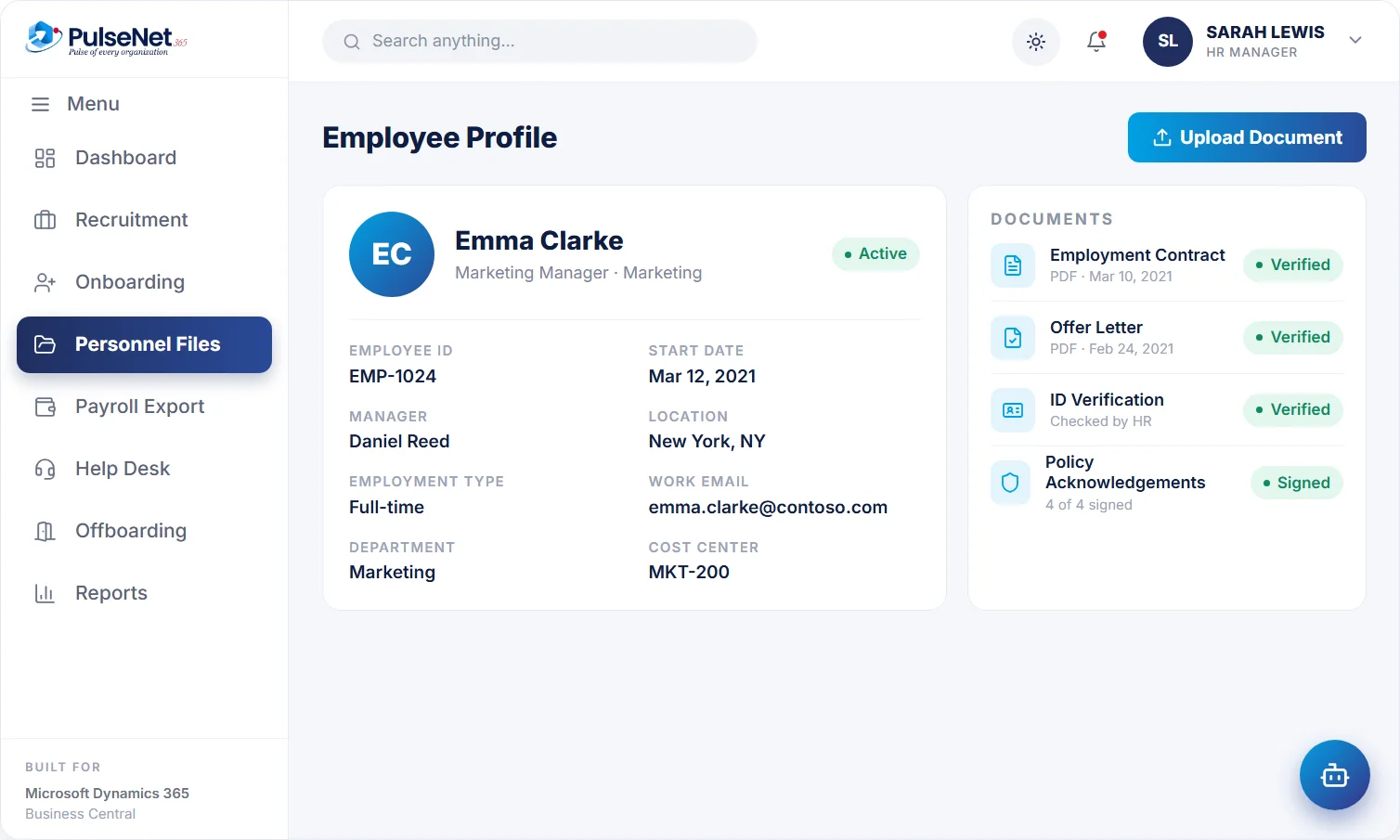
Personal, job and employment details, documents and policy acknowledgements, kept on one employee record on Microsoft Dynamics 365 Business Central.
role-based access
Mar 12, 2021
4 of 4 signed
In most organisations the employee record is scattered. The signed contract sits in a shared drive folder, the right-to-work check is an attachment in someone’s inbox, the latest salary change is in a finance spreadsheet and the emergency contact dates from the first week. When someone asks when this person last changed role, HR rebuilds the answer by hand from several places.
Access is the other half of the problem. Folders get shared with a link, spreadsheets get emailed, and nobody can say with confidence who can see a salary or a medical note today. Access tends to be granted person by person and is rarely taken away again.
The record starts from the hire, not a spreadsheet.
Every file is attached to the right person.
Employees update their own details in self-service.
Headcount and people insights from one source.
One file per person, from the day they are hired to the day they leave, with each part visible only to the roles that need it.
Name, contact details, emergency contacts, job title, department, reporting manager and start date are held once, on the employee record in Business Central. Employees keep their own contact details current through Self-Service. Leave, time, reviews and payroll data all use this record, so a change made once is the change everyone else sees from then on.
Contracts, offer letters, ID checks and signed forms are stored against the employee, not in a folder tree someone has to navigate. When a manager or auditor asks for the signed contract, HR finds it on the record together with any later variations, instead of searching a shared drive by surname and hoping the latest version is there.
When a policy is issued or updated, each employee's acknowledgement is tracked on their record. HR can see who has confirmed the new expenses or data protection policy and who has not, and follow up with the gaps directly, rather than sending the policy to everyone again and hoping the right people read it this time.
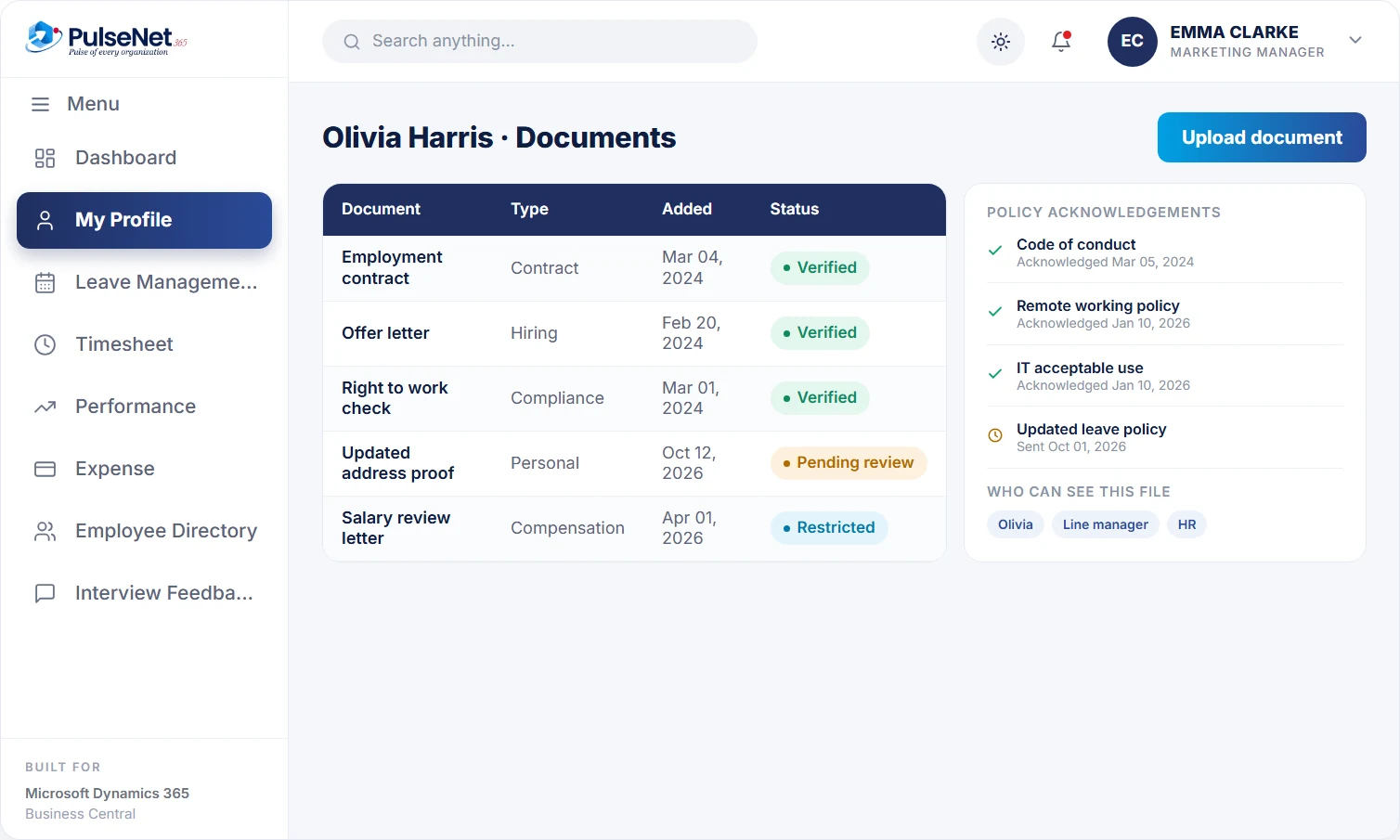
Role-based permissions decide who sees salary, documents and personal data. A line manager can see role, leave and reviews for their own team without seeing pay or medical notes, while payroll sees compensation but not performance comments. Because access belongs to the role rather than the person, it follows people when they change jobs instead of lingering.
See their own profile and employment details in one place, and update contact and emergency details themselves. When they need to confirm their start date or job title, for a mortgage application for example, they look it up instead of emailing HR and waiting for a reply.
See what they need to manage their team: role, reporting line, leave and review history. A manager who inherits a team can read each person's background on day one without asking HR to forward attachments, or seeing information their role does not need.
Holds the full record and decides who sees what. Audits, disputes and promotion cases start from one file instead of three folders, and HR can check who is missing a signed contract, an ID check or a policy acknowledgement before anyone asks.
Works from the same employee on Business Central, with the department and cost details finance already uses. Headcount, starters and leavers come from the record HR maintains, so finance and HR stop reconciling two different lists of who actually works here.
Business Central already keeps an employee card with personal, contact and employment details, plus qualifications, relatives, confidential information and company items issued to each person. That is a sound base, but it was designed for finance and resource use rather than for running HR. PulseNet365 extends that same employee instead of creating a second one. Because the record stays in Business Central, Copilot chat and Analyze data in lists work on it where your licence includes Copilot.
Put the final version on the record: the signed contract, the issued warning, the agreed adjustment. Keep working drafts, email threads and informal notes where they were written. A file full of drafts is harder to search and can say things nobody intended to be formal.
Decide how long each document type is kept after someone leaves, with your legal or data protection adviser, before you migrate anything. Applying a retention schedule to a clean, structured record is far easier than clearing out years of mixed folders later.
List who can see pay and sensitive personal data, check each name against the agreed roles, and remove anything that does not fit. Access accumulates when people cover for colleagues or change jobs, and a short quarterly review catches most of it early.
No. PulseNet365 extends the employee in Business Central rather than keeping its own copy, so there is one record to maintain. Leave, time, reviews, training and payroll data all attach to that same employee, which is why a change of department or manager does not need to be repeated in several systems.
Only if you decide they should. Access is role-based, so you set which roles see compensation, documents and personal data. A common approach gives line managers role, leave and review information for their team and keeps individual pay with HR and payroll.
Anything that affects how someone is employed, paid, developed or protected: contracts and variations, offer letters, ID and right-to-work checks, signed policies, certificates and final review outcomes. Leave out informal notes and drafts. Health information needs tighter access than the rest of the file.
Bringing existing employee data across is part of planning the rollout, and Alphavima helps with deployment, configuration and training. Clean the data first: job titles, reporting lines, departments and start dates matter most, because approvals and reports depend on them. It is also a good moment to delete documents you should no longer hold.
PulseNet365 is hosted on Microsoft Azure, with private cloud hosting exclusive to your organisation, and access to HR data is role-based. Alphavima Technologies, the company behind PulseNet365, is ISO 27001 certified. Your own policies decide who should see what, and the platform applies them. Why HR data belongs on Business Central explains more.
Every module shares the same employee record on Business Central, so adding another one adds no integration work.
Everything employees and managers need.
A first 30 days that runs itself.
A respectful, complete exit.
Bring your Business Central setup and the process that costs you the most time. We will show you Digital Personnel File on the platform you already run.
Tell us where to send the invite. We’ll show it with your processes in mind.