
PulseNet365 includes an AI assistant employees can simply ask, 24/7. Apply for leave in a chat, photograph a receipt and the expense claim is filed, and get instant answers on HR policies, on Microsoft Dynamics 365 Business Central.
Emma · 9:14 AM
balance checked first
claim ready to approve
An employee asks for time off in plain language. The request is created and sent to the right manager for approval.
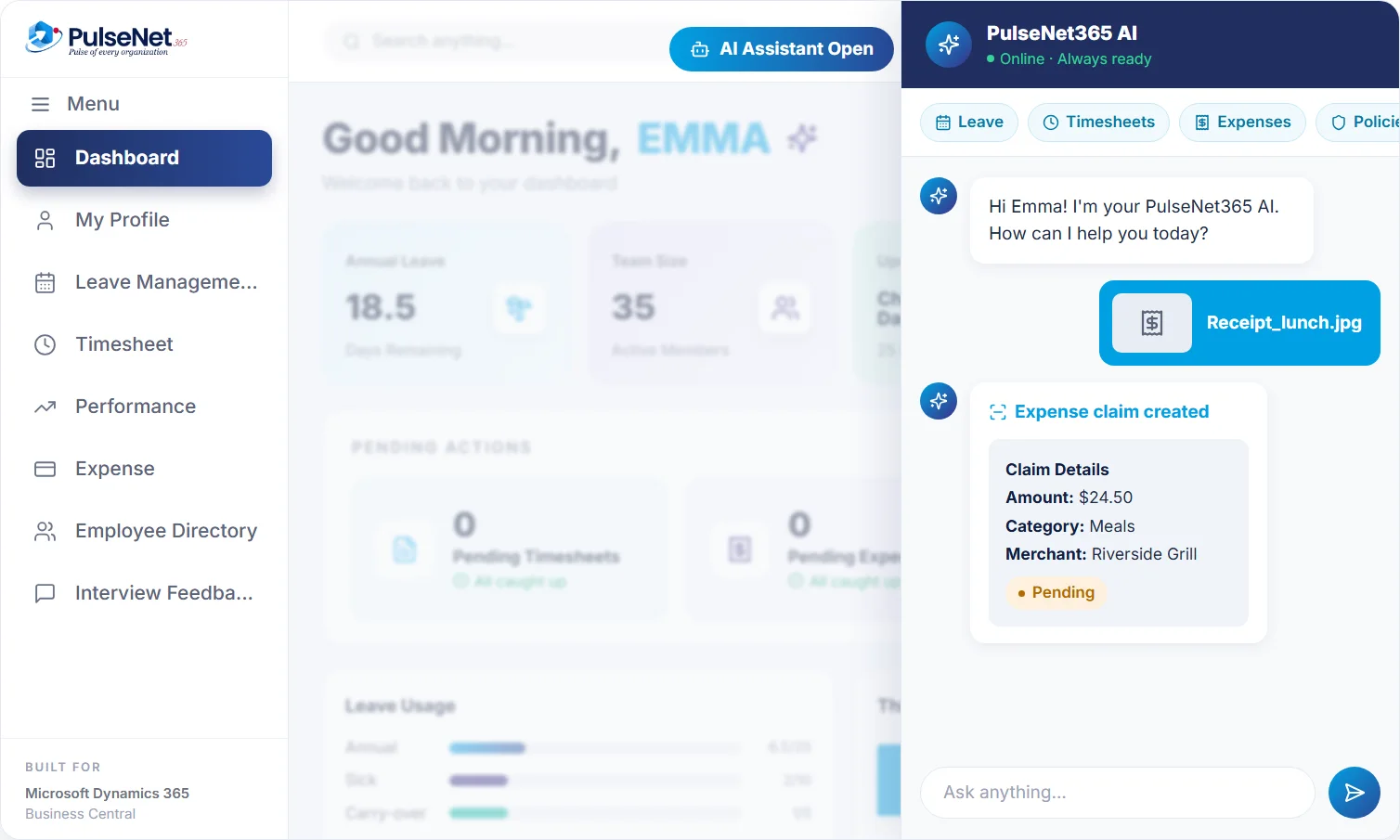
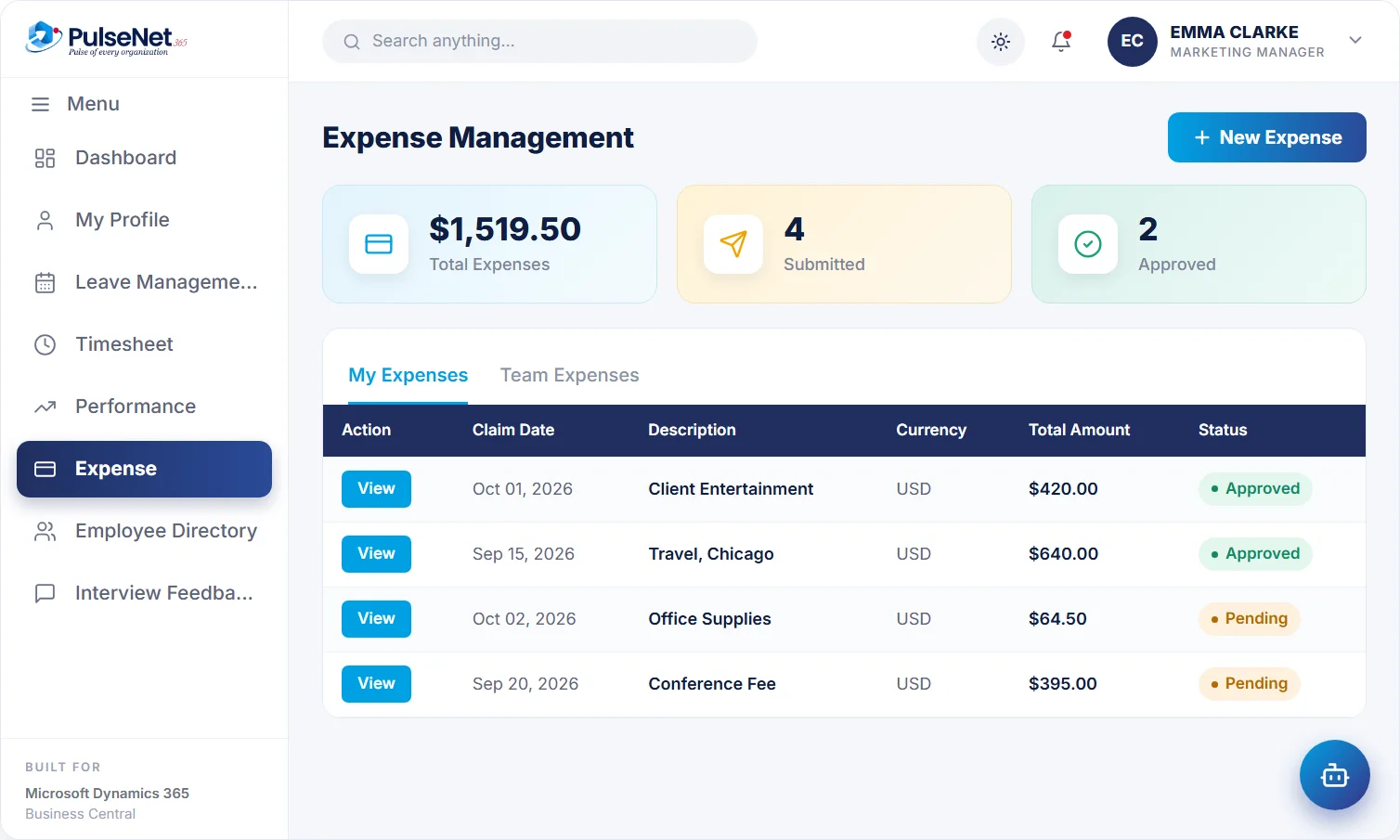
Photograph a receipt and the assistant creates the expense claim, ready for approval.
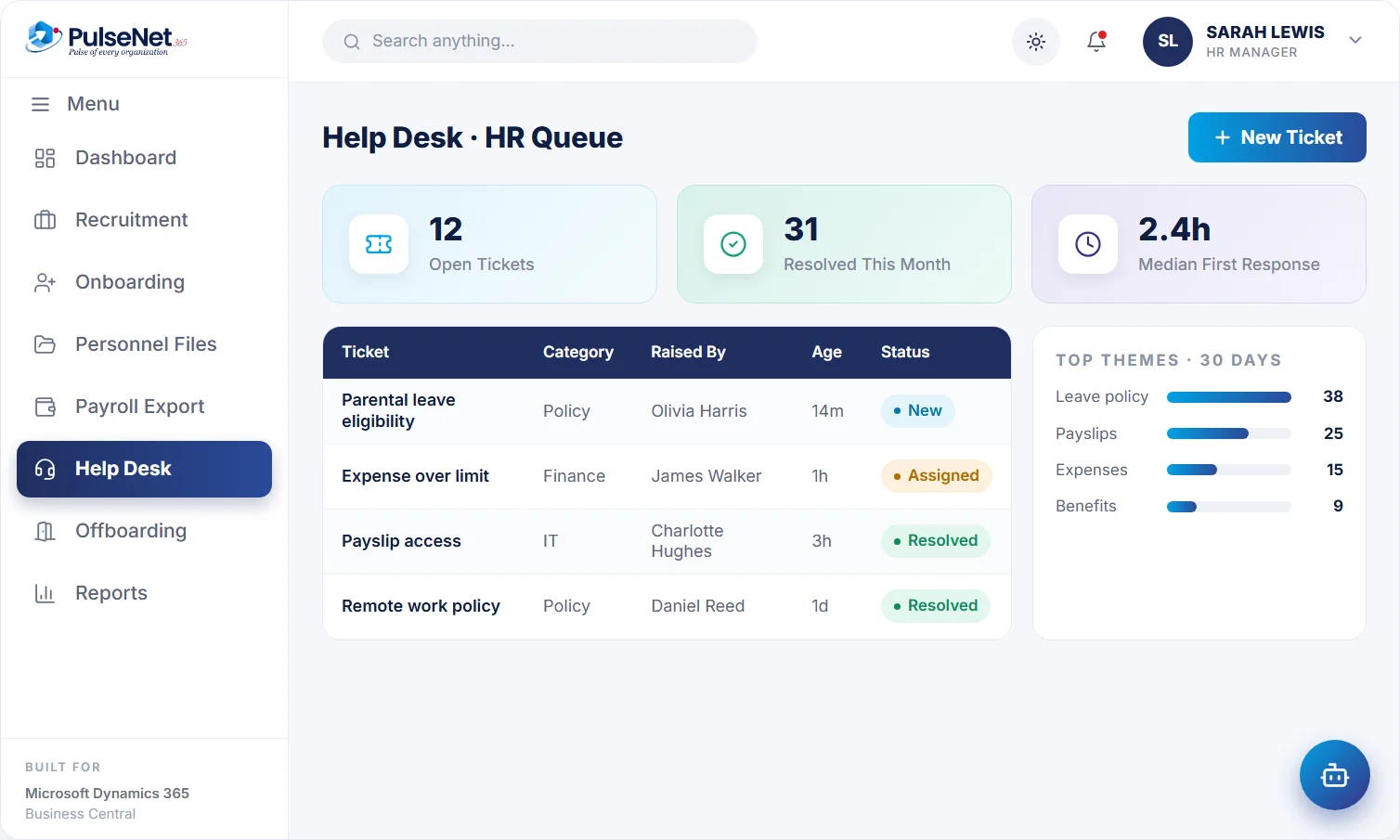
Routine policy questions answered any time. Anything else becomes a tracked Help Desk ticket.
Requests route to the right person automatically, with reminders that keep things moving.
Reporting and analytics on the same record: headcount, leave and performance trends.
The assistant creates requests and answers questions. Managers and HR still approve.
PulseNet365 runs on Microsoft Dynamics 365 Business Central and Microsoft Azure, and extends with Power Apps, Power Automate and Power BI. Have a Copilot Studio idea? Bring it to the demo.
Two different tools for different people. Knowing which does what stops anyone promising employees something neither was built to do.
Microsoft's Copilot comes with Copilot-enabled Business Central licences. Business Central users ask in plain language and Copilot turns the question into filters on a list, for example the absence entries for one department last month.
Copilot's "Analyze data in lists" builds summaries, groups and pivots on a list without a report builder. PulseNet365 data sits in Business Central, so HR and finance users can use it on HR lists such as timesheets.
Built for employees rather than Business Central users. Available 24/7, it applies for leave in a chat, files an expense claim from a receipt photo and answers HR policy questions. Anything else becomes a Help Desk ticket.
Neither tool approves anything in PulseNet365. Managers approve leave, timesheets and expenses, HR locks review feedback and publishes conclusions, and your payroll provider still calculates pay.
Olivia Harris wants two days off at the end of next month. At 7:40 in the morning, before her manager is online, she types the dates into the assistant. It checks her annual leave balance, creates the request and sends it to Daniel Hughes, her manager. In self-service the request shows as pending, exactly as if she had used the form.
Daniel opens the request with Olivia’s balance and the team’s leave in view. Ethan Walsh is already off on one of those days, so Daniel checks cover and approves with a short comment. The balance updates and the matching timesheet entry is created. Nobody types the dates anywhere else.
Later, Olivia photographs a $38.60 taxi receipt from a client visit. The assistant files the claim, which goes to Daniel for approval and then on to finance. She asks how much unused leave she can carry over, and gets the answer from your leave policy. Her last question is about a personal matter, so it becomes a Help Desk ticket for HR, because that conversation belongs with a person.
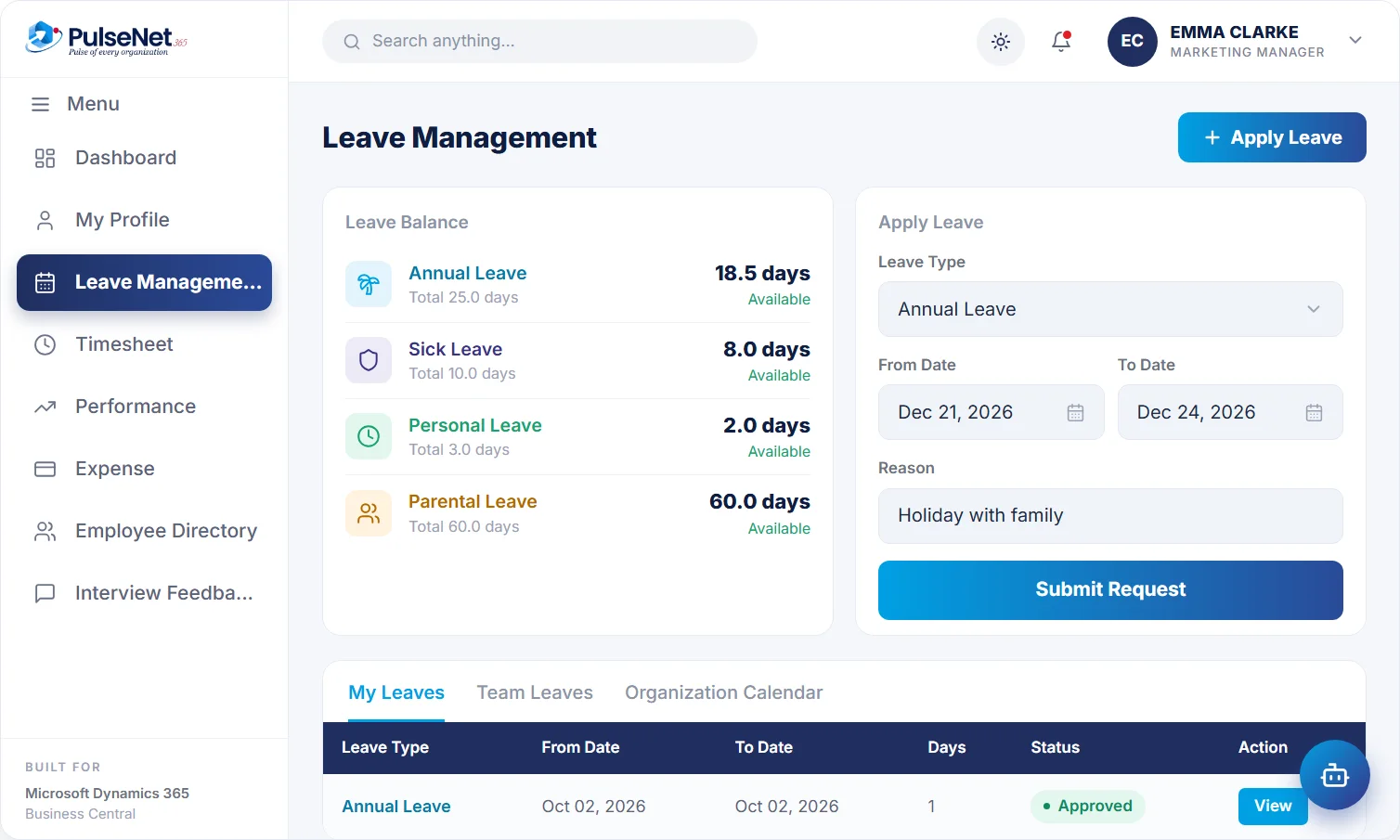
Turns a plain-language request into a leave request, checks the balance first and sends it to the right manager for approval.
Creates the claim from a photographed receipt, then the claim follows the normal Travel & Expense approval rules like any other.
Gives employees an answer at any hour, so routine questions stop interrupting HR. Answers are only as good as the policies behind them.
Anything outside leave, expenses and written policy becomes a Help Desk ticket with an owner, a category and a status.
It cannot approve or reject leave, timesheets or spend. A named manager or HR person makes every decision, as they do today.
Pay, performance and employment decisions stay with accountable people. If a wrong answer could affect someone's pay or job, a person owns it.
The PulseNet365 assistant is part of PulseNet365 and is included in every plan. Copilot in Business Central is a Microsoft feature that depends on your Business Central licence, and Microsoft decides which Copilot features are available in which regions and languages. We check both with you before the demo.
Every leave request and expense claim it creates goes through the same approval as one made by hand, so a manager checks it before it counts. For policy answers, keep your policies current, written plainly and owned by a named person in HR. Questions outside written policy become Help Desk tickets rather than guesses.
Employees, 24/7, alongside Self-Service. Managers keep approving in one place as usual. HR and finance users who work in Business Central lists can use Copilot in Business Central where their licence includes it.
Tell people plainly what it does and what it does not: it applies for leave, files expenses from a receipt and answers policy questions; managers still approve; anything sensitive goes to HR. Then watch the questions that reach Help Desk, because repeats show where a policy needs clearer wording.
PulseNet365 extends with Power Apps, Power Automate and Power BI. If you have an AI scenario in mind, bring it to the demo and we will tell you honestly whether it fits today.
We will show you the assistant with your leave, expense and policy scenarios in mind.