
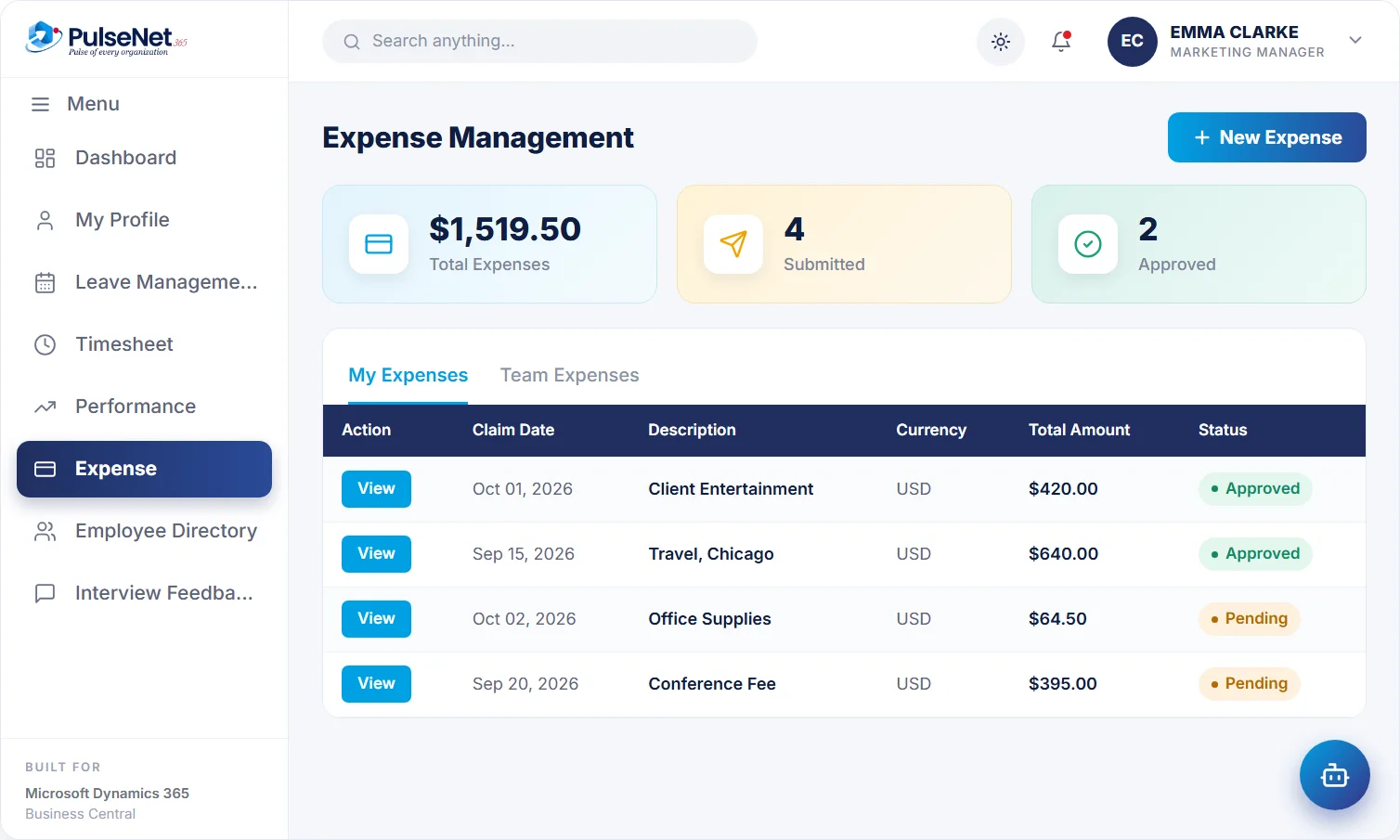
Claims by date, description and currency, with a clear status from submission to approval. With the AI assistant, an employee photographs a receipt and the claim is filed.
Riverside Grill
$640.00 travel
Business Central
Expense claims are small and frequent, which is exactly why they waste so much time. Receipts fade in wallets until month-end. The approver gets a total with no receipt, so they approve blindly or start an email thread. Finance re-keys the figure, finds the category is wrong and sends it back, and the employee waits another cycle to be repaid.
Slow claims also change behaviour. Some people stop claiming small amounts. Others save a quarter’s spending into one large claim nobody can check properly. Neither helps finance see what travel really costs, or helps the employee who is quietly out of pocket.
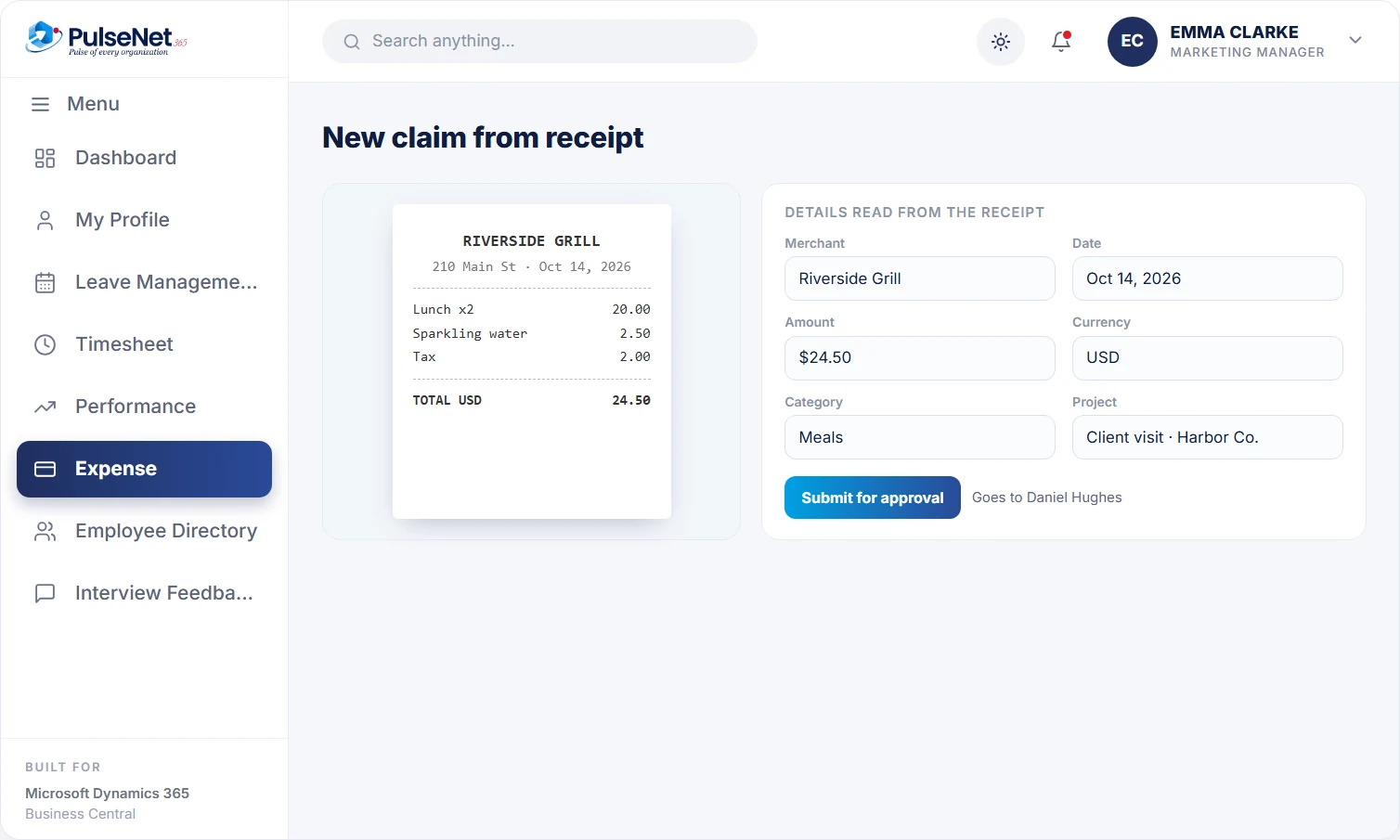
Or enter the claim in a short form.
The claim goes to the right approver.
Managers see the detail and decide.
Approved expenses reach finance on Business Central.
The employee captures, the manager decides, finance receives a claim it can rely on, and nobody types the same figure twice.
Daniel Hughes pays $38.50 for a taxi to a client site. He photographs the receipt and sends it to the PulseNet365 AI assistant, which captures the amount, merchant and category and files the claim. The receipt is attached from the start, so it cannot go missing between the taxi rank and month-end, and Daniel sees the claim's status straight away.
Each claim records the date, a description and the currency the money was spent in, so a hotel paid in pounds and a train fare in dollars are both claimed as they were paid, without the employee doing sums first. Finance then works from the original amount and currency rather than a figure someone converted on a phone calculator.
The approver sees the receipt, amount, category and the employee's reason in one place, and decides. A rejected claim goes back with a reason rather than a vague email. Status is clear throughout, from submitted to approved, so nobody has to ask where a claim has got to or whether the manager has seen it.
Once approved, the claim reaches finance on Business Central as it was approved, with the receipt and the approver attached. There is no export to build and no total to re-key from a PDF. Months later, when someone asks who approved a $640 hotel bill and against which receipt, the answer is on the record, not in an old inbox.
Photograph the receipt while it is still in hand, or enter the claim in a short form. They see the status of every claim without chasing, and can ask the assistant whether a client dinner needs pre-approval before they spend, not after.
Approve with the receipt, amount, category and reason in one view, and send a claim back with a comment when something is missing. Claims arrive complete, so the decision takes one pass. The assistant never approves anything; the manager does.
Receive claims that are already approved, on the same Business Central platform used for the ledger. No re-keying, no spreadsheet imports and a trail from receipt to approver that answers audit questions. Spend by team or category can be reported with Power BI on the same data.
Own the expense policy and keep it current, because approvers and the assistant both answer from it. Patterns in rejected claims usually point to an unclear rule rather than careless employees, so review them after each policy change and fix the wording.
Business Central is where finance already keeps the general ledger, currencies and the dimensions it reports by, such as department or project. It can also record amounts owed to employees. What it does not give an employee is a quick way to capture a receipt, submit a claim and follow it through approval. PulseNet365 adds that front end, so a claim starts with the person who spent the money and ends where finance already works.
Keep categories few: travel, accommodation, meals, mileage and other. Put a plain limit next to each, such as a nightly hotel cap by city, and state what needs approval before the spend. A policy people remember at the hotel desk prevents more rejections than any approval rule.
Ask for claims within an agreed window after the spend, for example thirty days, and publish the monthly cut-off that decides which pay period a claim lands in. Deadlines keep spending in the right month and stop quarter-end bundles.
Every extra approver adds waiting time. Let the line manager approve routine claims and add finance only above an agreed amount, say $500, or for categories such as international travel. For each step, ask what that approver checks that the previous one did not.
It captures the amount, merchant and category from the photo and files the claim, which then goes to the approver like any other. Employees should still glance over what was read, especially on faded or handwritten receipts. The assistant never approves; the manager does. See AI for HR for how the assistant works.
Yes. Claims record the currency the money was spent in, alongside the date and description. Agree with finance which exchange rate applies, typically the rate on the transaction date or the rate on the card statement, and put it in the policy.
The module as described here covers expense claims: capture, approval and the handover to finance and payroll. If you also need travel requests or approval before a trip, raise it in the demo and we will show what is in scope for your rollout rather than promise it here.
Approved expenses are prepared for your payroll provider together with approved hours and leave, and paid in the normal run. PulseNet365 does not calculate pay or make the payment itself. If finance reimburses outside payroll today, raise it during scoping so the handoff matches how you pay.
Agree a missing-receipt route in the policy: a short declaration giving the date, amount, merchant and reason, approved by the manager, with a low cap. That keeps the spend visible instead of pushing people to absorb small costs or invent paperwork.
Every module shares the same employee record on Business Central, so adding another one adds no integration work.
Payroll-ready data, no re-keying.
Everything employees and managers need.
Track hours, shifts and overtime.
Bring your Business Central setup and the process that costs you the most time. We will show you Travel & Expense on the platform you already run.
Tell us where to send the invite. We’ll show it with your processes in mind.